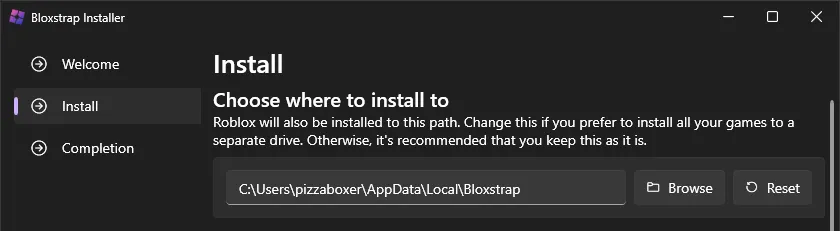

Change where Corestrap is installed
There are two ways of doing this.
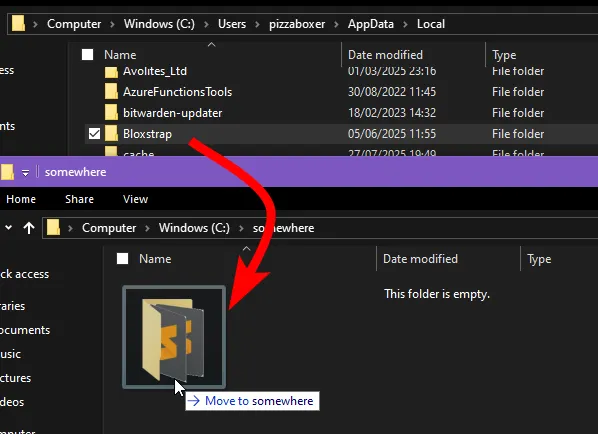
1. Move the installation folder
Section titled “1. Move the installation folder”Yeah, it’s that simple. Moving the folder is all you really need to do.
By default, Corestrap’s installation folder is at %localappdata%\Corestrap
(expands to C:\Users\<username>\AppData\Local\Corestrap)
After you move it, you will need to open the folder, run Corestrap.exe, and re-enable any shortcuts you had in the settings menu. You’ll also need to delete the old ones.
2. Reinstall Corestrap
Section titled “2. Reinstall Corestrap”When you install Corestrap, it gives you the option to choose where you want to install it. You’re only provided this option when installing, so reinstalling will let you do this.